Privacy-First Passport Photo: Browser-Only vs Server (2026)
By Elena Dev, Founder · May 11, 2026 · 11 min read
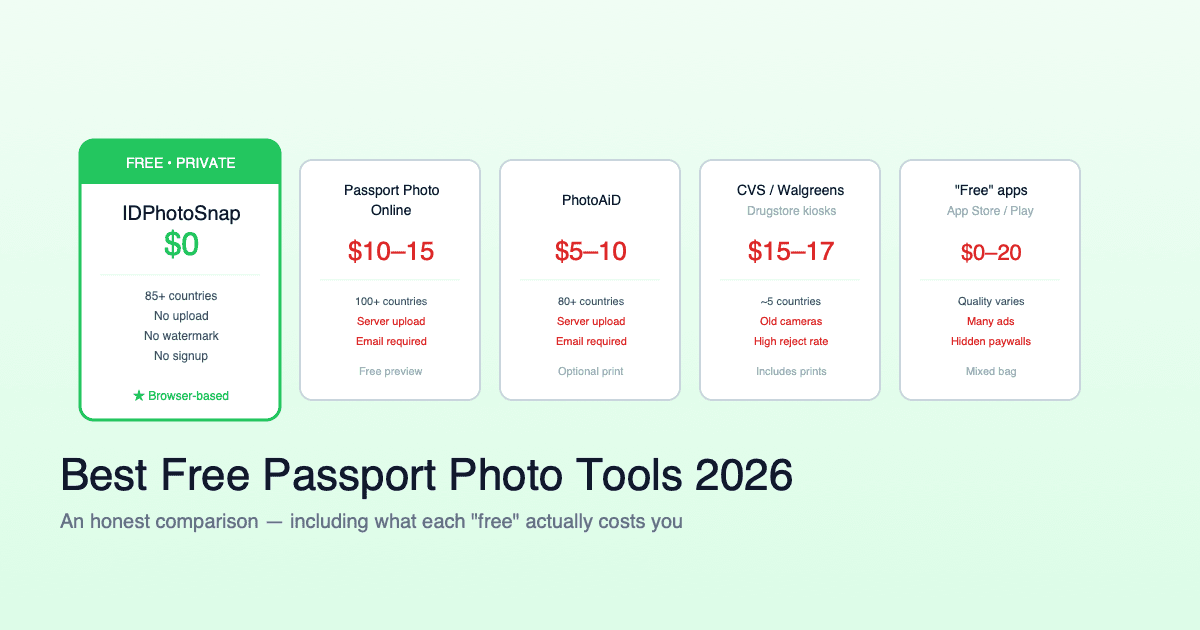
"Privacy-first passport photo maker" gets used loosely. Some tools mean "we encrypt your photo in transit". Others mean "we delete it after processing". A small subset mean "the photo never reaches our server at all". For biometric data like a passport photo, those three claims have very different privacy implications - and only one of them removes the provider from the data-handling chain entirely. This is a clear-eyed look at the three privacy architectures, how to verify which one a tool actually uses, and what regulators say about each.
The short version
- Three privacy architectures exist: server-with-no-encryption, server-with-encryption, browser-only.
- Encrypted upload is still upload. The provider sees your decrypted photo on their server, even if it travels over TLS.
- Browser-only is the only architecture where the provider never has the photo. Verifiable in any browser DevTools Network tab.
- For passport photos this matters more than for ordinary photos because passport photos are biometric data under GDPR Article 9, Illinois BIPA, Texas CUBI, and India DPDP Act 2023.
- Technically feasible since around 2022 thanks to WebAssembly + practical ML model sizes (MediaPipe Face Detection ~3 MB, BRIA RMBG-1.4 ~90 MB) running in browsers without GPU.
- The 90-second verification: open DevTools, watch Network tab during the workflow. If your photo bytes go out as a POST/PUT, the tool is not browser-only.
The three architectures
Free passport photo tools sit on a spectrum of privacy postures. They are not interchangeable:
| Architecture | Photo leaves device? | Provider can see photo? | Provider stores photo? | Marketing label |
|---|---|---|---|---|
| Server, unencrypted | Yes | Yes | Usually yes | "Online passport photo maker" |
| Server, encrypted in transit | Yes | Yes (decrypted server-side) | Depends on policy | "Encrypted", "Secure", "Privacy-first" |
| Server, deletes after processing | Yes | Yes (briefly) | No (after deletion) | "No storage", "Privacy-first" |
| Browser-only (WebAssembly) | No | No | No (no photo ever reached them) | "Browser-only", "No upload", "Privacy-first" |
All four architectures get the "privacy-first" marketing label. Only the bottom row removes the provider from the data-handling chain entirely.
Why "encrypted upload" is still upload
Encrypted upload is a real privacy improvement over unencrypted upload - it stops someone on the network (your ISP, public WiFi sniffer, intermediate router) from seeing your photo while it travels. But it does nothing about the provider seeing your photo. Here is the actual flow:
- Your browser uploads the photo over HTTPS (TLS encryption).
- The photo arrives at the provider's server.
- The TLS layer terminates - the photo is now decrypted plaintext on the provider's server.
- The provider's code processes the photo: face detection, background removal, cropping.
- The provider sends the result back to your browser over HTTPS.
- What happens to the photo on the provider's server after this depends on their policy.
Step 3 is where "encrypted" loses meaning for the provider relationship. They have your decrypted photo in their RAM at minimum, on their disk briefly in most cases, and possibly in their logs and backups. Encryption in transit is about defending against the network. It is not a defense against the provider.
Whether the provider is a good or bad actor is a separate question. The privacy architecture only sets what they can technically see. With server-based encrypted upload, the provider can see the photo. With browser-only processing, the provider cannot - the photo is never transmitted.
The 90-second verification
Marketing language is unreliable. Both "privacy-first" and "no upload" are used by tools that do, in fact, upload your photo. The architecture is verifiable in any browser:
- Open the passport photo tool in any modern browser (Chrome, Safari, Firefox, Edge).
- Right-click anywhere on the page, choose Inspect (or press F12 in Chrome, Cmd+Option+I on Mac).
- Switch to the Network tab.
- Click the small filter icon and select Fetch/XHR to hide non-network requests like stylesheets and scripts.
- Reload the page (the Network tab will populate with the initial requests for HTML, CSS, JavaScript, fonts, and ML model weights - all expected).
- Run the full photo workflow: upload your photo, crop, export.
- Watch the Network tab during the workflow. Look specifically for POST or PUT requests with a request body that includes your photo data (look at the Size column - photo uploads are typically 200 KB to 5 MB).
A genuinely browser-only tool shows zero photo uploads. The only network activity during the workflow is fetching the ML model weights (which happens once, before processing) and possibly small analytics pings that don't carry the photo. If your photo bytes appear in any outgoing request, the tool is not browser-only regardless of its marketing.
This test takes about 90 seconds and works for any web-based passport photo tool. Native mobile apps cannot be inspected this way - you have to trust their privacy policy.
What browser-only requires technically
Browser-only processing for passport photos became practical around 2022 when three technical conditions converged:
- WebAssembly performance. WASM SIMD support reached all major browsers in 2022, bringing near-native speed for ML inference. Before WASM SIMD, the browser was too slow for face detection in real time.
- Practical ML model sizes. Face landmark detection: MediaPipe Face Detection tiny model, ~6 MB. Background segmentation: BRIA RMBG-1.4, ~90 MB total weights. Both are open weights and load directly in the browser. Total download is about 100 MB which is acceptable for a one-time browser cache.
- Canvas API maturity. Geometric cropping, format conversion, JPEG quality tuning, and PDF layout are all done natively in the browser via Canvas API and jsPDF. No model needed for these steps.
What it does not require: a GPU, a native app, or any custom hardware. Any phone or laptop from the last 5 years runs the full workflow at acceptable speed (2-8 seconds for a complete export).
What regulators actually say
A passport photo is biometric data under almost every modern privacy law. Specific provisions worth knowing:
| Jurisdiction | Law | What it requires |
|---|---|---|
| EU | GDPR Article 9 | Biometric data is "special category" - requires explicit consent or one of 9 specific bases for processing. |
| US - Illinois | BIPA | Biometric Information Privacy Act requires written consent before collection, retention schedule, statutory damages on violation. |
| US - Texas | CUBI | Capture or Use of Biometric Identifier act requires informed consent and reasonable storage limits. |
| India | DPDP Act 2023 | Biometric data treated as personal data with heightened obligations; cross-border transfer rules apply. |
| Brazil | LGPD Article 11 | Biometric data is "sensitive personal data" - similar safeguards to GDPR. |
These laws apply to anyone processingbiometric data. A server-based passport photo tool is processing biometric data on behalf of the user and inherits compliance obligations under whichever law applies. A browser-only tool, where the processing happens on the user's own device, is not in the same regulatory position - the provider is not processing the data because the data never reached them.
When server-based is actually fine
Server-based processing is not always the wrong choice. It is fine when:
- The service is your government. If you upload your passport photo to GOV.UK or the US State Department, that is the data's intended recipient anyway.
- The provider has a Data Processing Agreement (DPA) covering biometric data and you have agreed to it explicitly. This is normal for B2B enterprise tools.
- You trust the provider for unrelated reasons. If you already use a service for sensitive matters, adding a passport photo workflow is a marginal risk increase.
- The use case is low-sensitivity. Profile pictures, internal-company IDs, marketing photos - server-based is usually fine and the workflow is simpler.
For free consumer tools applied to passport photos for embassy and visa submission, browser-only is the lower-risk default. The provider does not need to see your photo for the workflow to work - the technology has progressed past that point.
What to look for in a privacy-first tool
If you want a passport photo tool with the strongest privacy posture, check these in order:
- Explicit "browser-only" or "no upload" claim. Look for this language specifically. Vague "privacy-first" or "secure" claims usually mean encrypted upload, not browser-only.
- Verify with DevTools. Open the Network tab, run the workflow, confirm your photo is not uploaded. 90 seconds.
- Check the architecture documentation. Browser-only tools typically mention WebAssembly, MediaPipe Face Detection, BRIA RMBG-1.4, or similar specific names. Server-based tools mention "our AI" or "our servers".
- Free vs paid is independent. Both server-based and browser-only tools come in free and paid versions. Free does not imply browser-only.
- No registration needed is a strong signal. Browser-only tools usually have no account because they have nothing to store - the photo and the result both live on your device. Server-based tools often require an account because they store your work.
Our tool, IDPhotoSnap, is browser-only by architecture: face detection via MediaPipe Face Detection in WebAssembly, background segmentation via BRIA RMBG-1.4 in WebAssembly, cropping via Canvas API, all running locally. You can verify in your browser DevTools that no photo upload happens during the workflow - that's the test.
Compliance checklist for travelers
If you are a visa applicant uploading your photo to multiple embassies, the privacy chain compounds. Each embassy you submit to has its own data handling. Adding a third-party photo tool to that chain adds one more party that has your biometric data:
- Browser-only tool: photo touches your device + each embassy you submit to.
- Server-based tool: photo touches your device + tool provider + each embassy you submit to.
For a typical multi-visa application cycle (Schengen + UK ETA + Indian visa + US visa), this is the difference between 4 entities holding your biometric data versus 5. The choice of photo tool is the one variable you fully control.
FAQ
What does "privacy-first passport photo maker" actually mean?
A tool that keeps your photo on your device. Strongest interpretation: browser-only processing with no upload. Weaker interpretations include encrypted upload or short-term server storage. For biometric data, browser-only is the meaningful claim.
Is encrypted upload the same as browser-only?
No. Encrypted upload sends your photo to a server (decrypted there for processing). Browser-only never sends it - all processing happens on your device via WebAssembly.
How do I verify a tool keeps photos local?
Open browser DevTools, switch to Network tab, run the workflow. A browser-only tool shows zero photo uploads in network log - only static assets and ML model weights.
Why does it matter for passport photos?
Passport photos are biometric data under GDPR Article 9, Illinois BIPA, Texas CUBI, India DPDP Act 2023, Brazil LGPD. Server-based tools trigger compliance obligations; browser-only tools sidestep the chain because the data never reaches the provider.
Is browser-only technically possible?
Yes since 2022. WebAssembly SIMD + practical ML model sizes (MediaPipe Face Detection ~3 MB, BRIA RMBG-1.4 ~90 MB) run face detection, background segmentation, and cropping in the browser without a GPU.
When is server-based fine?
When it's your government, when you have a Data Processing Agreement, when the use case is low-sensitivity (profile pictures, internal IDs), or when you already trust the provider for sensitive matters.
Does "no long-term storage" solve it?
No - it reduces but does not eliminate. The photo still reaches the provider, can be accessed by their staff or subject to subpoena during processing, and is in scope for their data protection obligations.
What about browser local storage?
Local storage stays on your device. The browser sandbox does not transmit local storage to any server unless the tool explicitly does so. When you clear the site's storage, the photo is gone.
Want a passport photo tool you can verify is browser-only? IDPhotoSnap runs entirely in your browser - 100+ countries, 276 document formats, 15+ government sources cited. Open DevTools Network tab during the workflow to confirm no upload happens.
Related guides
Are AI Passport Photos Banned in 2026? (Fact-Check)
Content farms claim a new AI passport photo ban in 2026. Fact-check: no new rule. What State Dept actually prohibits and allows.
Why Free Passport Photo Apps Add Watermarks (2026 Test)
Why every 'free' passport photo app delivers a watermarked file, and why removing it in Photoshop still gets you rejected. 3-min test.
Best Free Passport Photo Apps 2026 (Honest Comparison)
We compared major free and paid passport photo tools for 2026. Real prices, privacy practices, country coverage, and the catch with each.
China Visa Photo 2026 (33x48mm, COVA + Consulate Compliant)
33x48 mm Chinese visa photo, COVA-ready and consulate-compliant. White background, ICAO biometric specs, JPG + printable PDF. Free.
iPhone Passport Photo 2026 (5-Minute Setup, Won't Get Rejected)
Take a consulate-compliant passport photo with your iPhone in 5 minutes. Lighting setup, camera settings, head positioning, and the 4 mistakes that cause 80% of rejections.
About the Author
Elena Dev, Founder of IDPhotoSnap
Elena Dev is the sole operator of IDPhotoSnap. Her work involves auditing the official photo specifications of 100+ countries against issuing-authority sources (embassies, government portals, ICAO 9303) and translating those rules into a browser-only tool that runs entirely on the user's device. The full 276-format specification dataset is published as MIT open data on GitHub. Source verification methodology and corrections policy are documented on the editorial standards page. Every article is written and reviewed by Elena Dev. Corrections: elena@idphotosnap.com.
Found this useful? Public reviews are how new readers discover IDPhotoSnap. Leave a quick Trustpilot review →