Baby Passport Photo Guide 2026 (Closed Eyes, Pacifier, Pose)
By Elena Dev, Founder · June 9, 2026 · 8 min read
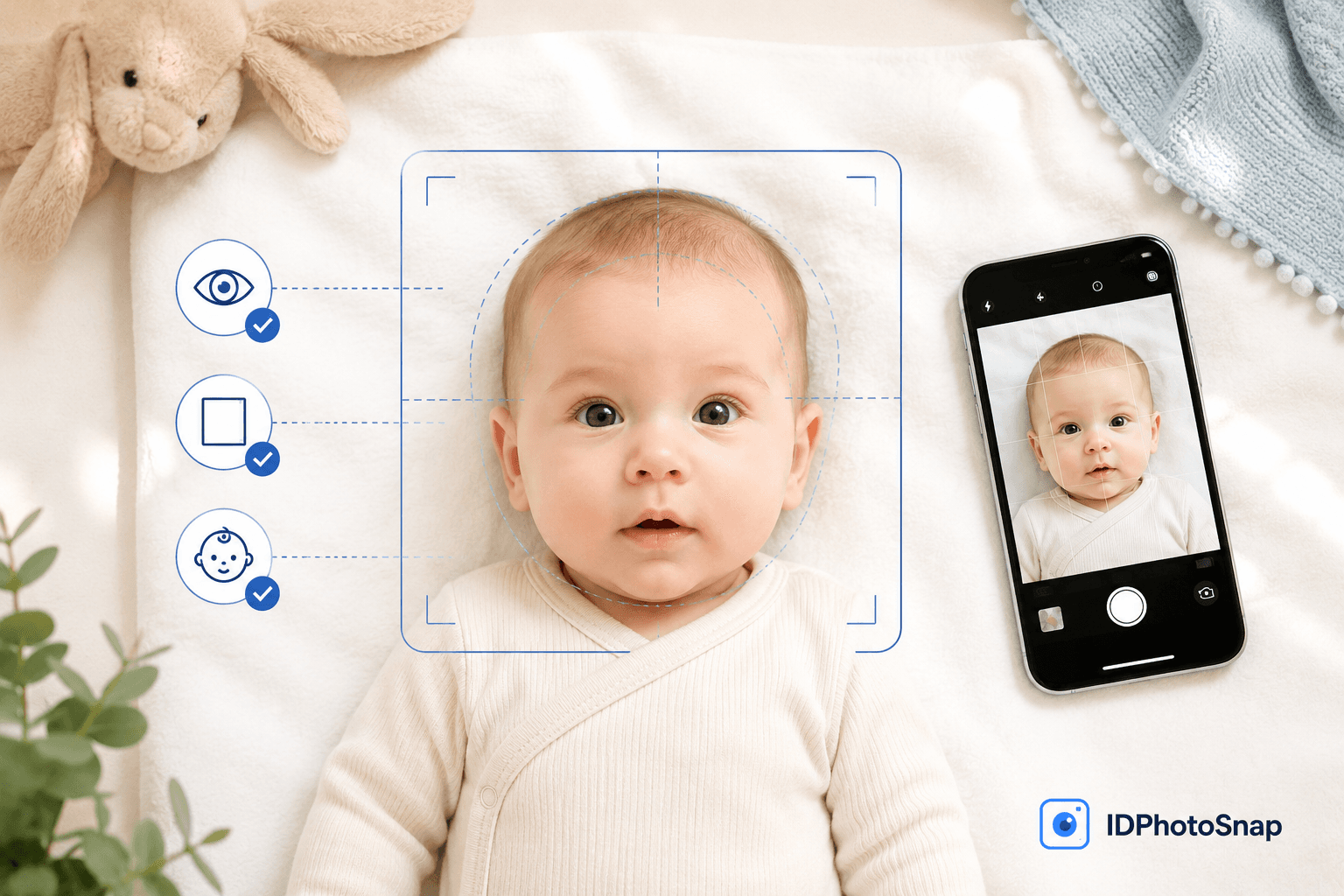
Taking a passport photo for a baby is the single hardest photo job most parents will ever do. The face must be centered, expression neutral or near-neutral, eyes open if the child is over a year old, mouth closed, no toys, no pacifier, no parent hands visible, plain white background. Every parent who has tried knows the gap between that brief and a wriggling infant.
This guide covers the rules that actually apply to baby passport and visa photos in 2026, the allowances that government authorities make for infants, and a workflow that produces an acceptable shot on a phone in 15 minutes. Everything below is verified against the US Department of State, UK HM Passport Office, Canadian IRCC, Schengen Annex 11, and ICAO 9303 source documents.
What are the official rules for a baby passport photo in 2026?
The size is the same as for adults: 2x2 inches (51x51 mm) for the US, 35x45 mm for the UK and Schengen, 50x70 mm for Canada. The background is plain white or off-white. The face must be centered, looking directly at the camera, with a neutral expression. No part of any other person can be in the frame.
The key allowance for babies: infants under 1 year old can have closed eyes on the US and UK photos, since holding the eyes open is often physically impossible. Most other countries tolerate slight droopiness. For children over 1 year, eyes must be open and visible.
The 2026 US AI-edit rule applies to baby photos exactly the same way as adult photos. No app may open closed eyes, no app may add a neutral expression to a crying baby. The only allowed edits are background replacement and geometric cropping. Full breakdown of what the rule covers.
How do I physically position a baby for a passport photo?
Three approaches that work, in order of how reliable they are:
- Lay the baby flat on a white sheet. Spread a plain white bedsheet on the floor. Lay the baby on their back. Stand directly above and shoot straight down. This works for newborns up to about 6 months. The white sheet becomes the background. Make sure no shadows fall across the face.
- Drape a white blanket over a car seat. For babies 3 to 12 months who can hold their head up but cannot sit unsupported. Cover the entire car seat surface with a white blanket so the back of the seat is hidden behind the baby. Position the car seat so the baby faces a window with daylight. Shoot from slightly above eye level.
- Sit the baby on a white background.For babies 12 months and older who can sit unsupported for a few seconds. Use a plain white sheet hung behind a couch or wall. Have someone stand behind you, just behind the camera, to keep the baby looking at you. Take the photo from the baby's eye level.
In all three setups, light must come from the front. Avoid windows behind the baby (that creates a silhouette). Avoid overhead light (that creates dark eye sockets). Natural daylight from a window in front of the baby is best. Switch off flash.
What gets a baby passport photo rejected?
The top rejection reasons for baby photos, in order of frequency:
- Adult hands, arms, fingers, or hair visible in the frame.
- Pacifier in mouth (very common, almost always rejected).
- Toys, bottles, or other objects in frame.
- Baby looking sideways, not at the camera.
- Face occupying too much or too little of the frame.
- Shadow on the background from light behind the baby.
- Background not plain white (patterned blanket, cushion, painted wall).
- Headband, hat, or hair clip visible.
- Baby clothed in a colored garment that bleeds into the frame at the neck (use a white onesie).
- Photo taken at an angle, not straight-on.
For a complete checklist of rejection reasons that apply to adults as well, see our top 10 passport photo rejection reasons guide.
How does the baby passport photo workflow look with IDPhotoSnap?
Take 15 to 30 shots on your phone using one of the setups above. Pick the best one (centered face, neutral or near-neutral expression, no objects in frame). Upload to IDPhotoSnap. The tool will:
- Crop to the country-specific dimensions (US 2x2 inches, UK 35x45 mm, etc.).
- Replace the background with the required color (pure white for US, off-white for UK).
- Verify face size meets the issuing authority spec (smaller acceptable range for babies).
- Export a portal-sized JPEG and a print-ready PDF with 6 photos per A4.
The photo never leaves your device, processing runs in your browser via WebAssembly, no signup, no watermark, free. Open the tool.
Country-specific notes for baby passport photos
The size and background spec is the same as for adults, but the allowed face-size range is wider:
- United States: 2x2 inches. Eyes open required, but closed eyes accepted for infants under 1 year. See our complete US passport photo guide.
- United Kingdom: 35x45 mm. Eyes open required, but closed eyes accepted for babies under 1 year. Off-white or light grey background.
- Schengen: 35x45 mm. Eyes open required (closed accepted for newborns). Light grey or white background.
- India: 51x51 mm for passport, 35x45 mm for OCI. White background. Eyes open required; no specific allowance for infants beyond what photographer judgement provides.
- Canada: 50x70 mm. Eyes open required. Closed eyes accepted for newborns at IRCC officer discretion.
- Australia: 35x45 mm. Eyes open required. No specific infant exemption documented; practice tolerates slight droopiness.
Frequently asked questions
Can a baby have closed eyes in a passport photo?
The US Department of State and UK HM Passport Office explicitly allow closed eyes for infants under 1 year old, since holding the eyes open is often physically impossible for newborns. Most other countries (Canada IRCC, Australia DFAT, Schengen Annex 11) require eyes open from the photo, but accept that the requirement is harder to meet for babies and tolerate slight droopiness. For applicants over 1 year, eyes must be open and visible.
How do I take a passport photo of a baby who cannot sit up?
Lay the baby flat on a plain white sheet on the floor or in a car seat draped with a white blanket so the background is uniform. Stand directly above and shoot down with your phone camera. Use natural daylight from a nearby window, not flash. Avoid having anyone hold the baby unless their hands are completely out of frame. Take 15 to 30 shots and pick the one with face centered, eyes open (or closed if under 1 year), neutral expression, and no shadows on the face or background.
Can I hold my baby in their passport photo?
No. The photo must show only the baby. No part of an adult (hand, arm, fingers, hair) can appear in the frame. The most common workaround is laying the baby flat on a white sheet and shooting from above, or using a white car seat cover. If you must support the baby, hold them from behind so your hands are not visible from the camera angle.
What is the size for a baby passport photo?
The size is the same as for adults. US: 2x2 inches (51x51 mm). UK and Schengen: 35x45 mm. Canada: 50x70 mm. India: 51x51 mm or 35x45 mm depending on document. The only difference for babies is that the face occupies a smaller portion of the frame relative to body proportions. Most issuing authorities allow the face to be smaller than the 50-69 percent adult standard for infants.
Can pacifiers, toys, or bottles appear in a baby passport photo?
No. The photo must show the baby with no pacifier in mouth, no bottle, no toys, no jewellery, no headband, no bib, no hat. Plain white onesie or no clothing visible above the chest is fine. If your baby will not stop crying without a pacifier, take many photos quickly between pacifier removals.
Can I smile or open my baby's eyes in the photo with an app?
No. The 2026 US State Department rule prohibits any AI editing of facial features in passport photos. This includes opening closed eyes, removing a smile, smoothing skin, or any other face modification. The same rule applies in the EU, UK, Canada, Australia, and most other major issuing authorities. The only allowed edits are background replacement and geometric cropping, both of which IDPhotoSnap performs without touching the face. Take the photo properly the first time.
Related guides
US Passport Photo Requirements 2026 (Complete Guide)
Every official US passport photo requirement for 2026: size, background, head size, expression, and State Department specifications.
How to Take a Passport Photo at Home (Step-by-Step Guide)
Save $15 - 20 by taking your own passport photo at home. Here is exactly how to do it right - background, lighting, pose, and common mistakes to avoid.
Why Was My Passport Photo Rejected? Top 10 Reasons (2026)
Most passport photo rejections come down to 10 specific issues. Each one is fixable in 2 minutes. Here's the full diagnostic checklist with examples.
Are AI Passport Photos Banned in 2026? (Fact-Check)
Content farms claim a new AI passport photo ban in 2026. Fact-check: no new rule. What State Dept actually prohibits and allows.
About the Author
Elena Dev, Founder of IDPhotoSnap
Elena Dev is the sole operator of IDPhotoSnap. Her work involves auditing the official photo specifications of 100+ countries against issuing-authority sources (embassies, government portals, ICAO 9303) and translating those rules into a browser-only tool that runs entirely on the user's device. The full 276-format specification dataset is published as MIT open data on GitHub. Source verification methodology and corrections policy are documented on the editorial standards page. Every article is written and reviewed by Elena Dev. Corrections: elena@idphotosnap.com.
Found this useful? Public reviews are how new readers discover IDPhotoSnap. Leave a quick Trustpilot review →